 English
 简体中文
简体中文
 繁體中文
繁體中文
 Français
 Español
 عربي ،
 русский язык
 Português
 Deutsch

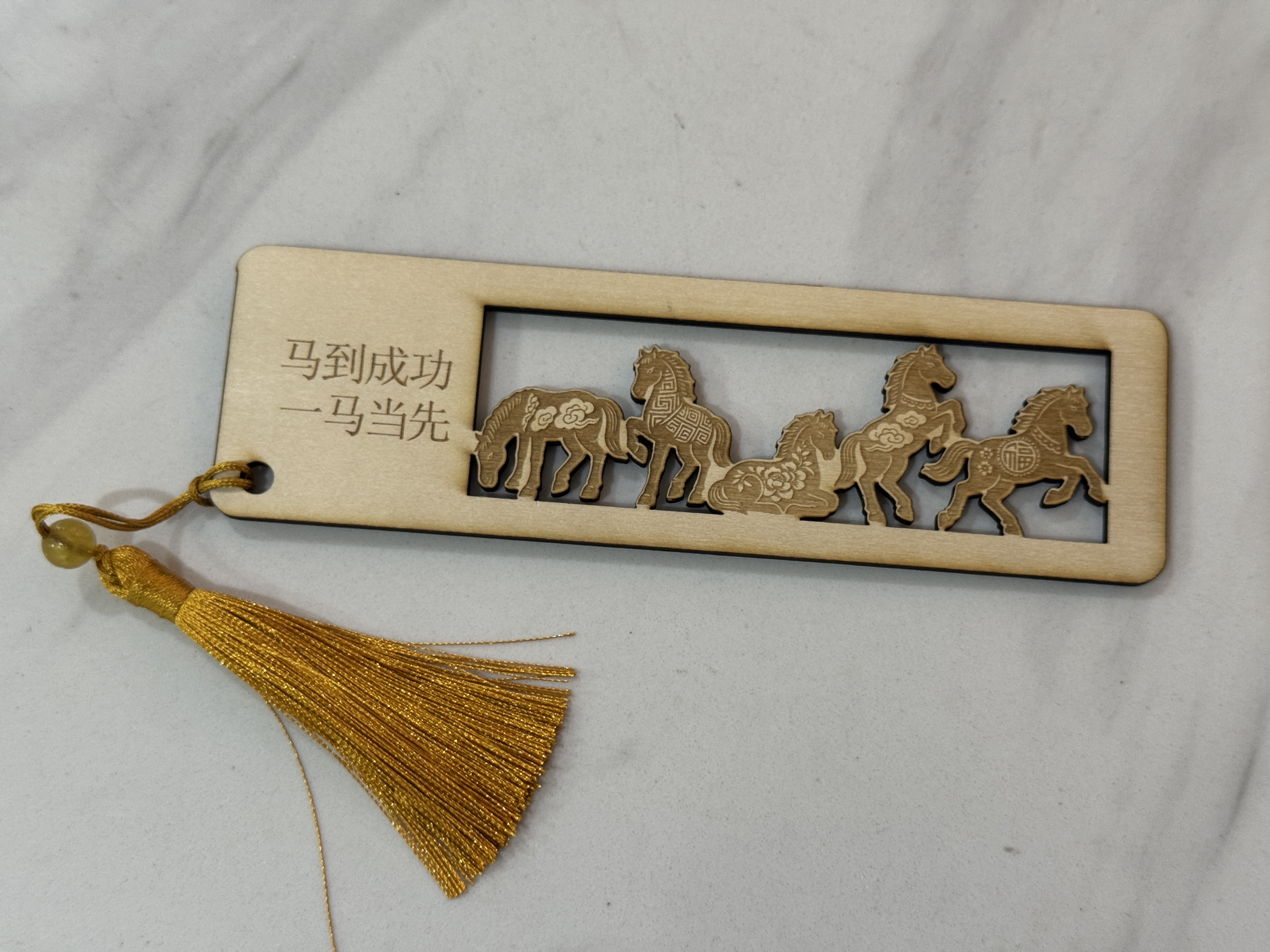
This is a laser engraved bookmark specially designed for the Year of the Horse. with Five galloping horses Carving patterns for the core, combined with Success on horseback, leading the way The auspicious symbolism of the hollowed out steed is agile and lifelike, paired with elegant golden tassels. It is not only a beautiful companion during reading, but also a New Year cultural and creative activity to convey blessings.
drawing
Wuma Besturn Bookmark design project
Drawing Information
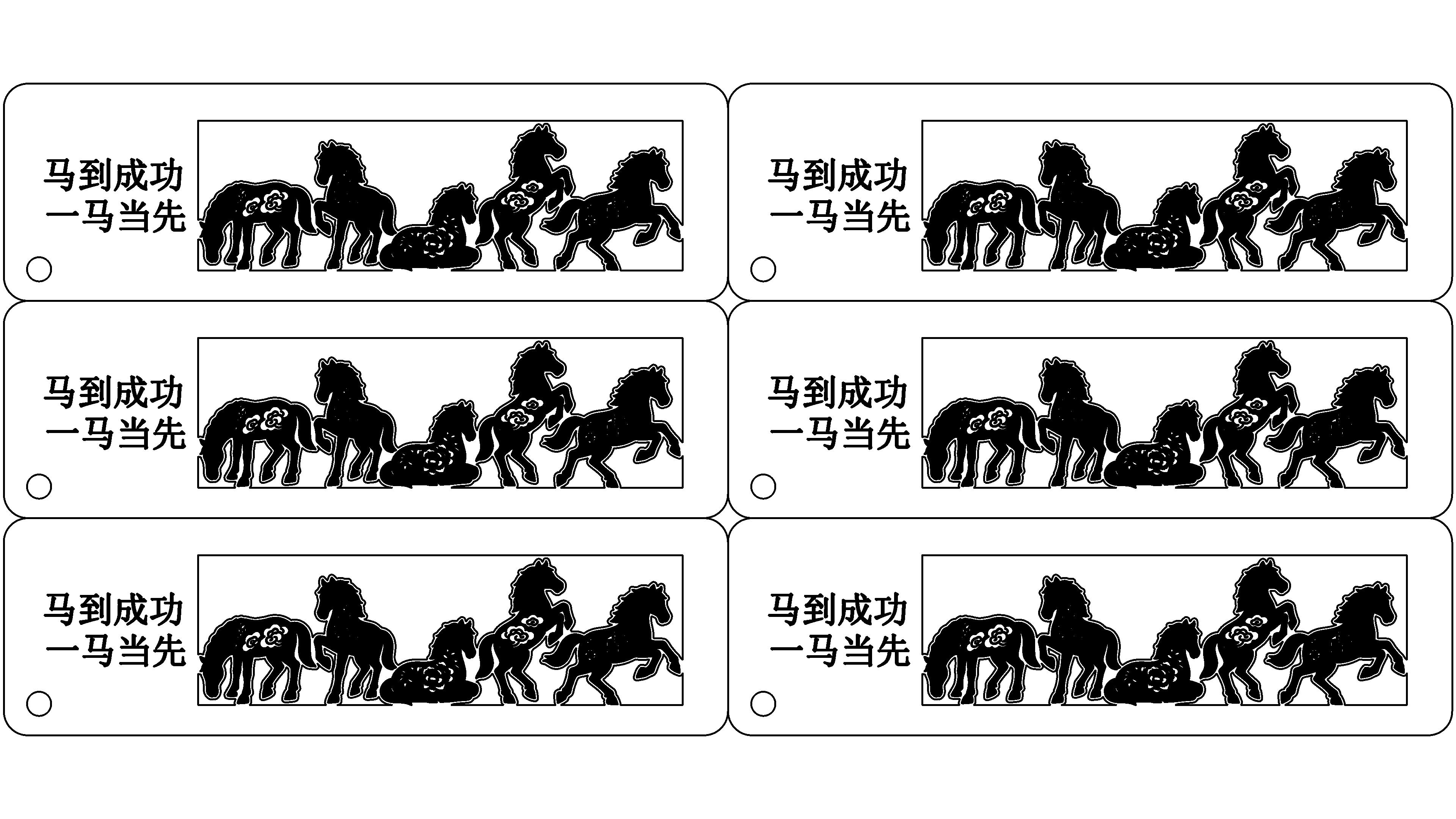
lcpx
Year of the Horse bookmark
300.00 X 135.00
laser type:
CO2 RF tube
|
power: 30W |
time: 0:28:19minute
Drawing Description
drawing documents
Year of the Horse bookmark
Basic Parameters
CO2 RF tube
30W
0:28:19
process parameters
| Processing Technology | processed material | pattern | power(%) | speed(mm/s) | processing times |
|---|---|---|---|---|---|
| Shallow carving | 3mmBasswood board | Horizontal unidirectional | 50 | 998 | 1 |
| cutting | 3mmBasswood board | Horizontal unidirectional | 75 | 11 | 1 |
Bill of Materials
3mmBasswood board
Tassel accessories
Processing equipment:Thunder Bolt Pro ,30W
design process
1Click on the rectangle tool and draw a long rectangle150mm, wide45mmThe rectangle

2Select the fillet tool with a radius of5mmSet the four corners as rounded corners

3Open itLaserMakerSoftware, click on the file, import the image

4Click on the contour extraction function in the upper right corner of the image to extract the contour of the image. After extracting the contour, delete the original image


5After successful contour extraction, check the extracted graphics, delete some unnecessary things, check the contours, and use eraser tools and line segment tools to optimize the graphics


6Click on the outline of all horses' shapes, select the offset curve, and offset outward


7Select the outer contours of all horses and click on the merge tool


8Frame the entire graphic and add a layer for shallow carving technique

9Click on the outline of the graphic and add a layer as the cutting process

10Select the rectangle tool, draw another rectangle, adjust the appropriate size to connect with the pattern.

11Click on the shape of the horse and select the difference tool


12Click on the text tool to add text

13Set the processing parameters for the layer


14Click on the array tool to generate multiple identical graphics in batches

processing
1After the device is successfully connected, send the drawing to the device

2Add processing materials, as the wooden board is uneven, it is necessary to use magnets to fix and flatten the processing materials

3Focus on materials

4Positioning of processed materials

5After ensuring that the settings are correct, you can start processing

finished product assembly
1After processing, remove the processed parts


2Install the tassel accessories onto it

3Finished product completed


Related Recommendations


comment (2)
Wuma Besturn Bookmark
drawing ID: SUCAI-1132
2026-1-22 15:24
10
3
2
158
10Contribution points
Purchase points
collection
like
Grade discount
-
classification
Spring Festival -
copyright
open source licenseCC-BY-NCProhibit commercial use; -
Business License
Further information
Update time
2026-1-22 15:24

wo07h6r2
2026-1-23 13:30
good
13882770092
2026-3-24 09:05
The Five Horses Galloping bookmark has some meaning