Laser Creation Beginner Course | Case 9: Customized Earrings design project

1
2

Drawing Description

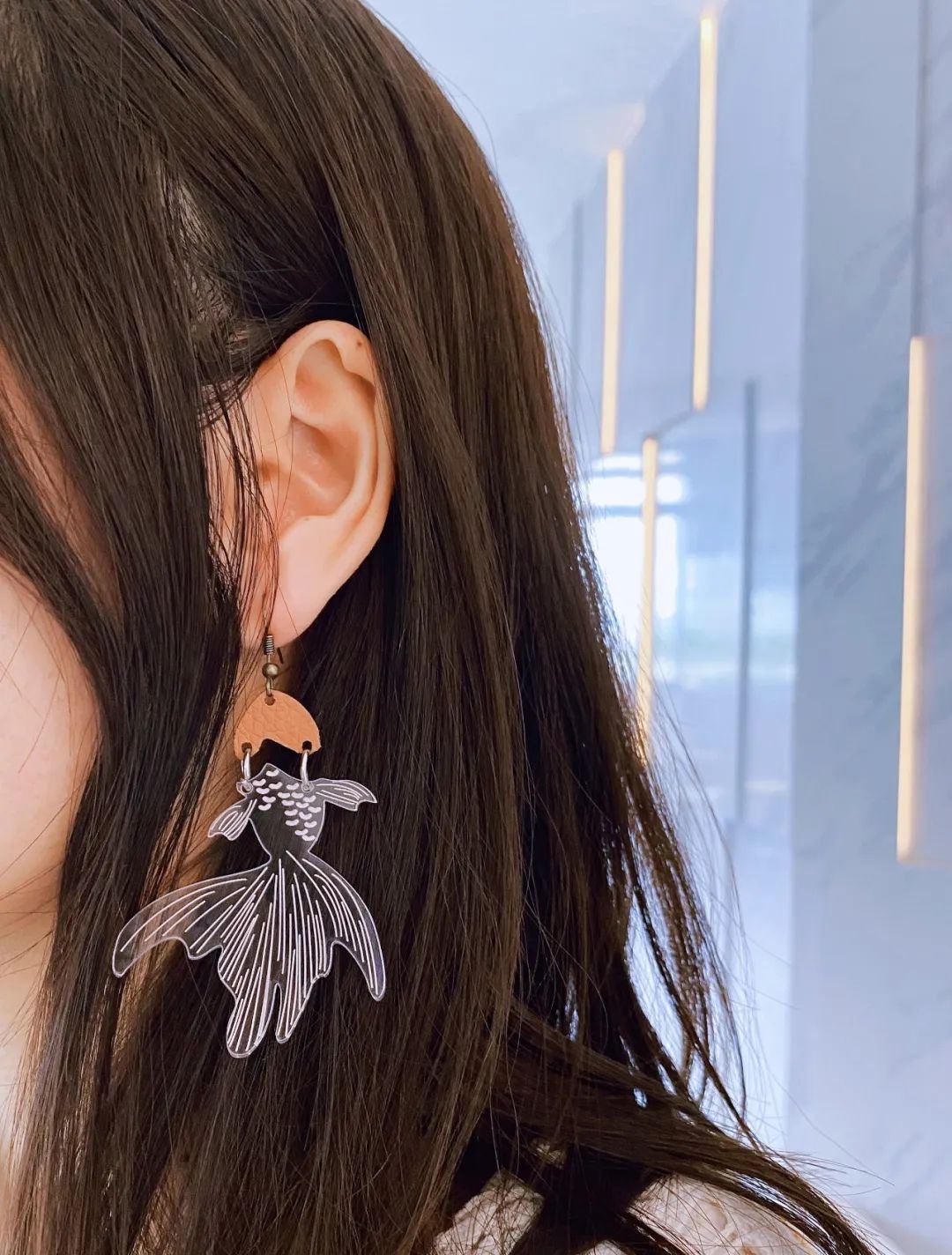
Earrings, also known as earrings, were one of the accessories worn by women in ancient times, often worn on their ears. Nowadays, both men and women can wear earrings, which are a fashionable item with a wide variety of styles. People can match different earrings according to different outfits. In this lesson, you will learn how to make various earrings by yourself! In this issue, Laser Expert will lead everyone to customize earrings!
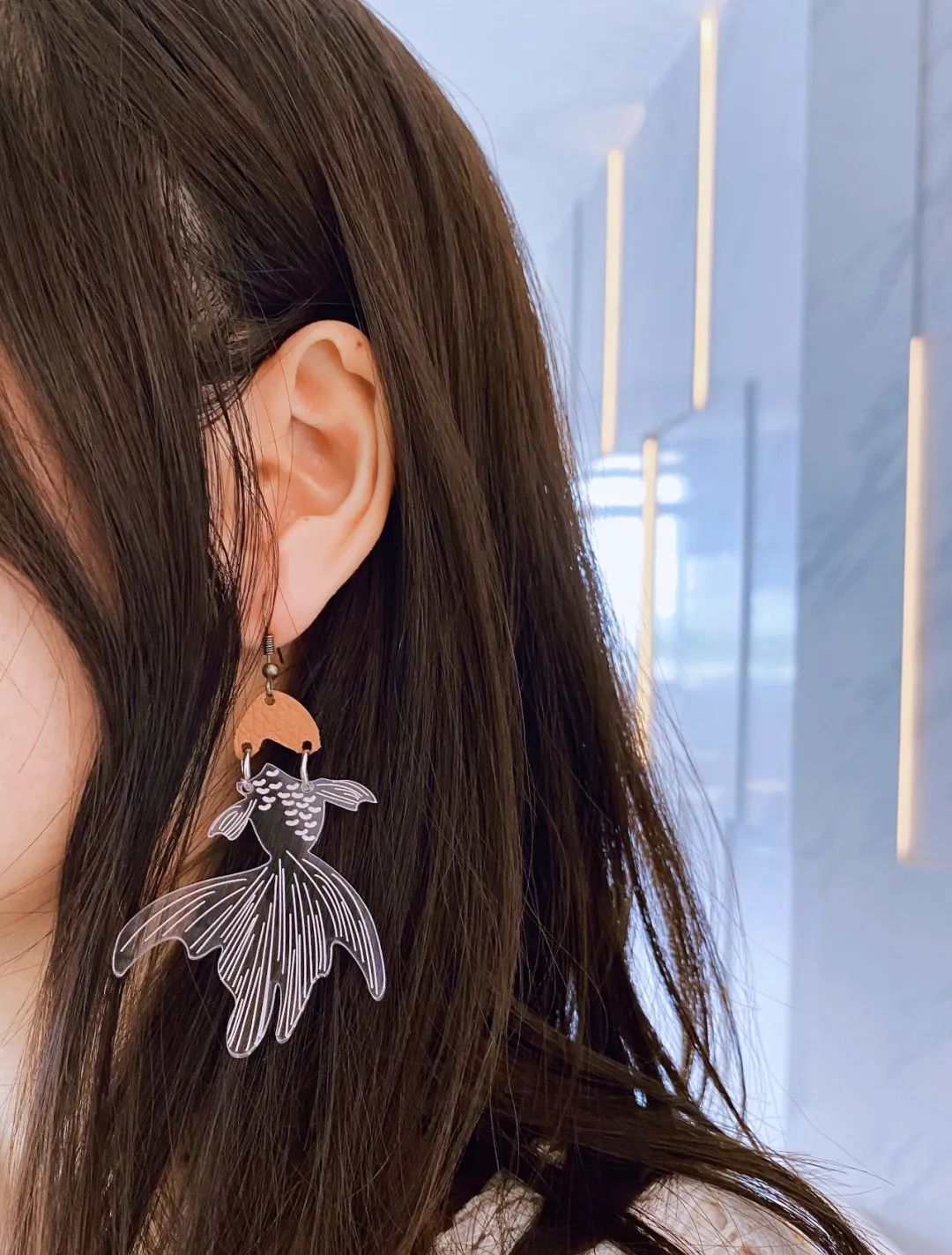
earrings.jpg

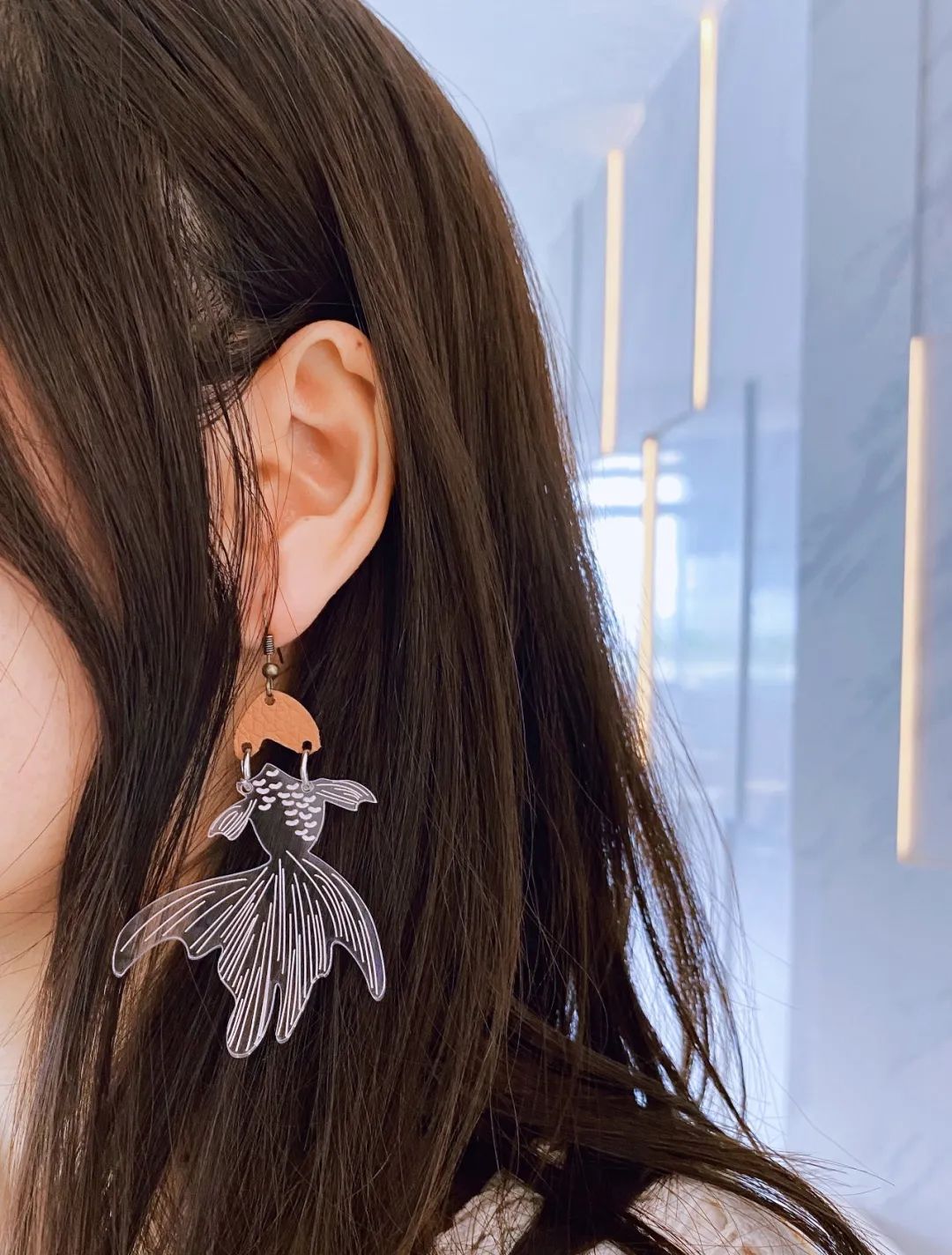
To complete the 'Goldfish Earrings', it is necessary to first design the style and then consider how to connect it to achieve the desired effect. This design mainly uses different materials, selecting a goldfish style, with the head made of leather material and the fish body made of acrylic material. If it is made into an earring style, it is necessary to connect the two parts with a connecting ring, and finally combine it with the earring hook to obtain the final work "Goldfish Earrings".
drawing documents

Goldfish earrings
Drawing Cover - Goldfish earrings
Basic Parameters
0:6:57

Appearance production

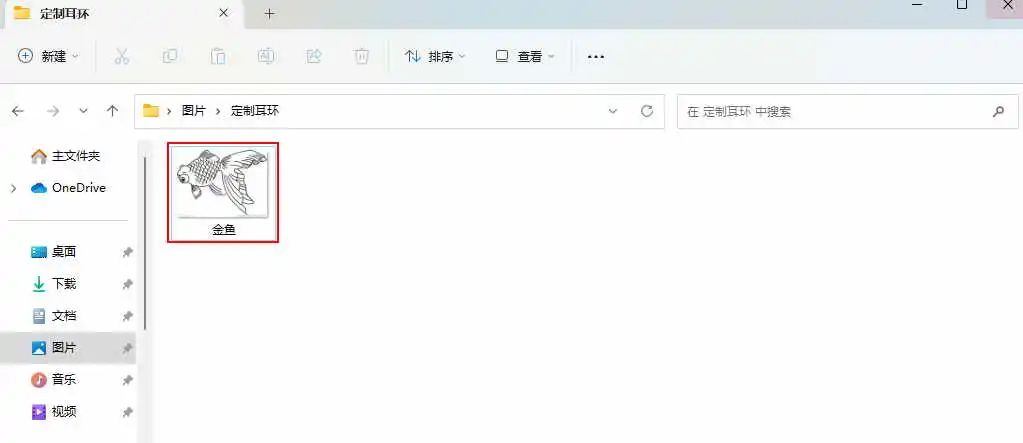
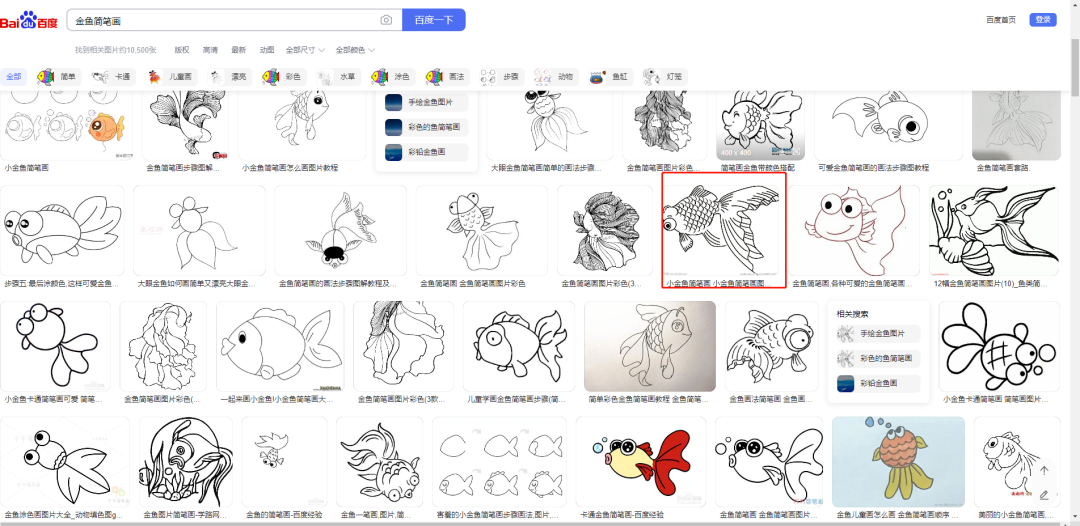
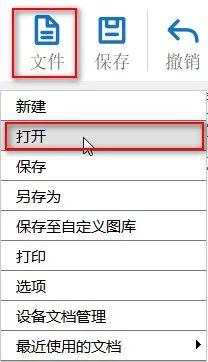
1) Enter the keyword "Goldfish Sketches" in Baidu Baike and choose your favorite image to save; Click on 'File' in the 'Function Area' above, and then click on 'Print'

Open, double-click to open the saved goldfish image, as shown in the following figure:

53b7b51a2005a1b520766e2e772263ae.png

(2)Click on 'File' in the upper 'Function Area', then click on 'Open', double-click to open the saved goldfish image, as shown in the following figure:

0ea3cdb40d9b45a375574532a6b52b67.jpg

e85eaa90ae054db7cc27ec1cfb370c6f.jpg


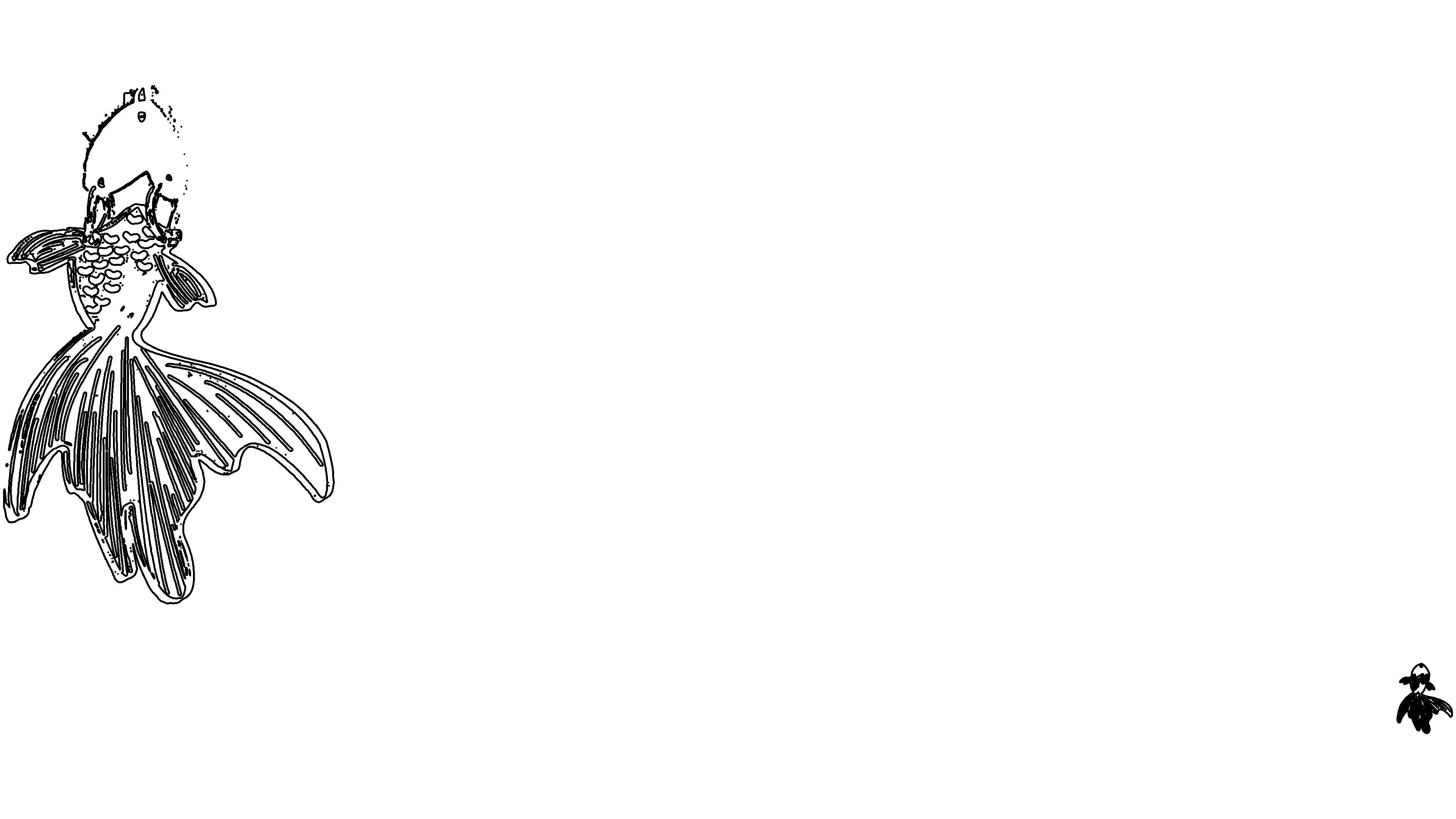
(3) Click on the image with the left mouse button, select 'Extract contours', delete excess lines, and obtain the appearance of a goldfish, as shown in the following figure:

b99401d3eee6fad056083f36366de91f.jpg

e6583f2af632f35622183432ec239cb2.jpg

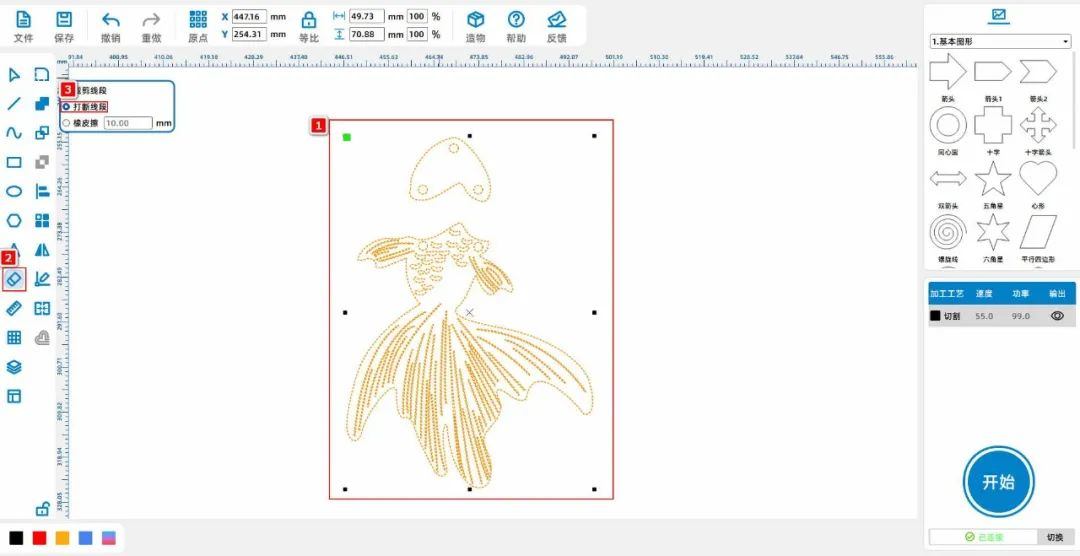
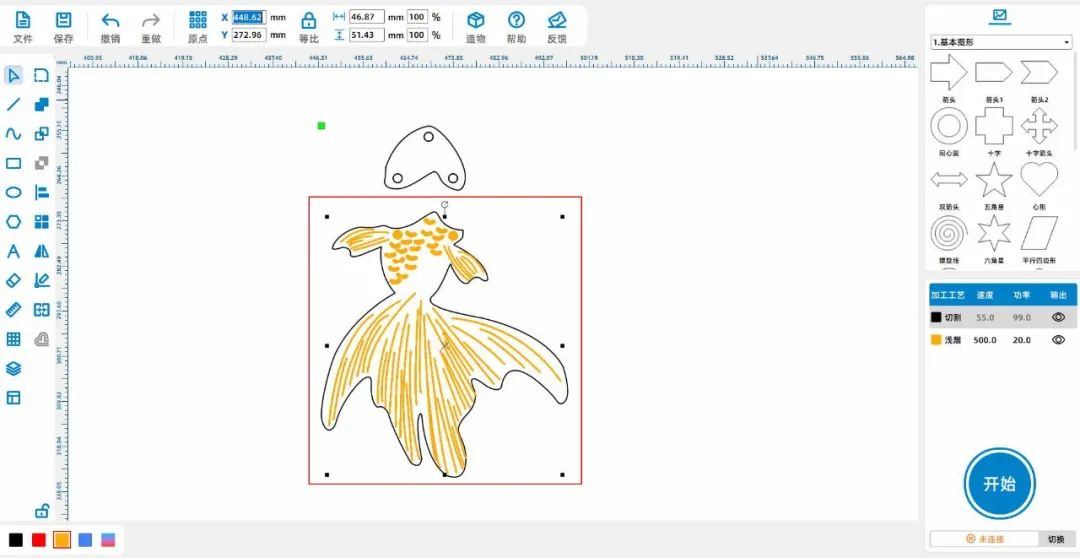
(4) Select the pattern with the mouse, click on the eraser tool from the drawing toolbar on the left, and choose 'Break Line Segment' to divide the goldfish into two parts, as shown in the following figure:

af17c74a2d5fa787673ace49d3a1e99d.jpg

Tips:Divide goldfish into two parts, one because different materials are used for processing during the production process; The second is to add a connecting ring in the middle to make its appearance more flexible during use.


Laser processing

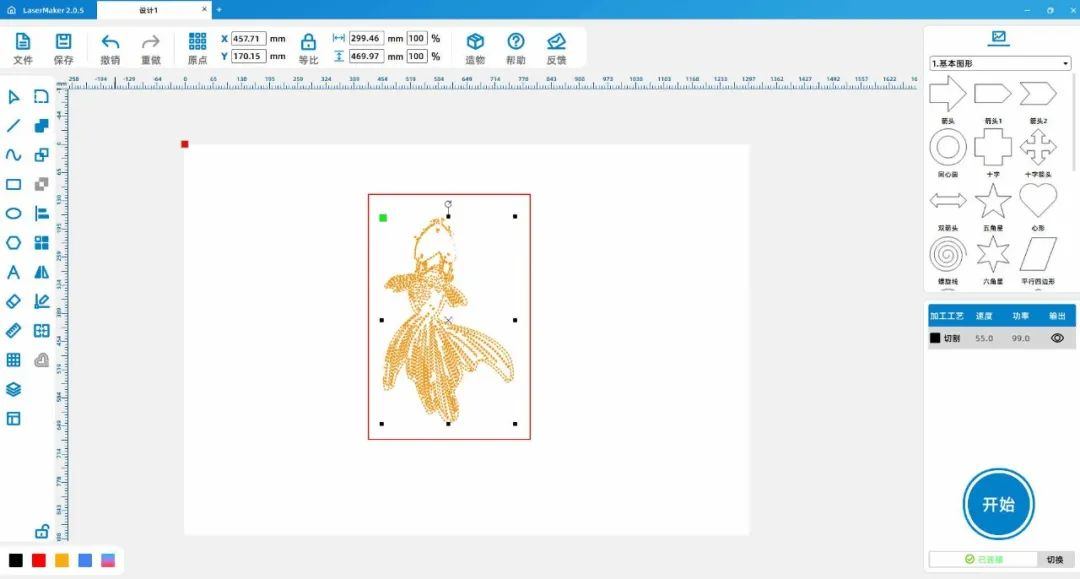
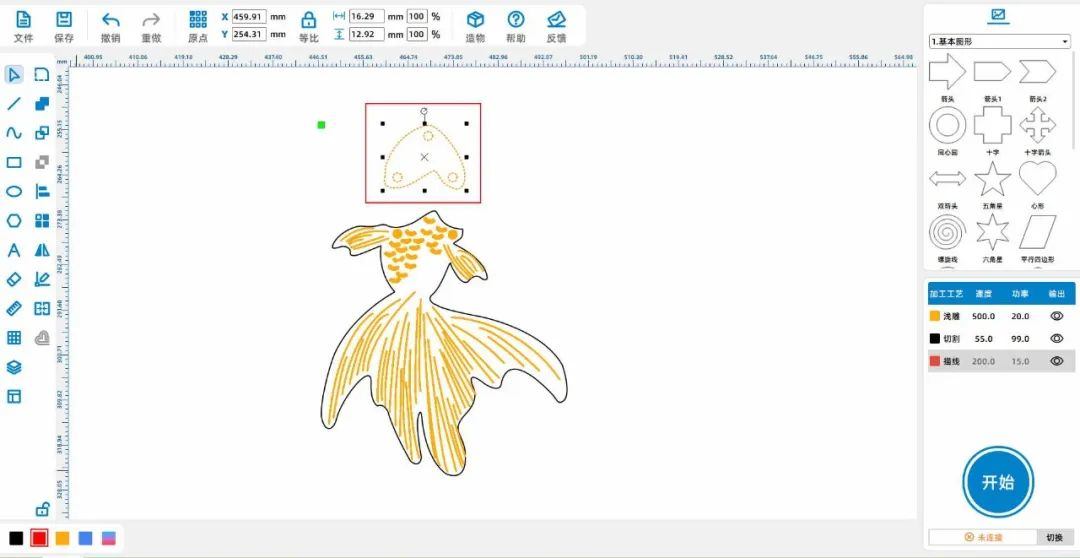
(1)Select the "fish scales" and "fish patterns" on the fish body, left click on the layer panel in the lower left corner of the mouse to change the contour layer to yellow; Select 'Fish Head', left click on the layer panel in the lower left corner of the mouse to turn the wheel

Change the outline layer to red, as shown in the following figure:

13e18e1616cd38d5775f14554312ce93.jpg

7ae43f7c7c798a70bd7391e5b5306c06.jpg

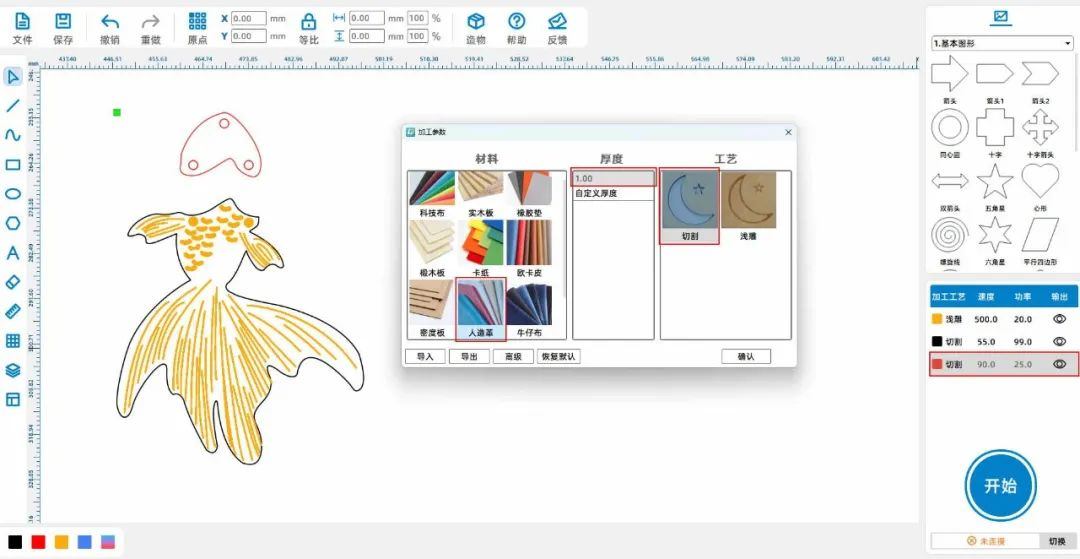
(2)Adjust the layer order in the bottom right corner and sort them by "light carving, cutting" in sequence; Double click the yellow layer with the left mouse button to set the material, thickness, and process to acrylic

3mmShallow carving; Double click the black layer with the left mouse button to set the material, thickness, and process to acrylic3mmCutting; Double click the red layer with the left mouse button to remove the material

The material, thickness, and process are respectively set to artificial leather1mmCut, as shown in the following figure:

d2b9b7660d01bf8372d3a0664e2a9fc0.jpg

Finished product display:

9f6a684241d63fc467b61b955171a01f.jpg

Summary:

     In the production process of this example, we first considered how to improve the work based on the original design style. Starting from the structure, adding a rank in the middle of the "goldfish"

pick upThe environment makes our works even better. Drawing and modeling are not difficult, everyone must try and practice more to become a better little designer!

Course Expansion:

                                                                Various styles of earrings

image.png

comment (0)
Support drag and drop upload · most 10 Zhang · single sheet ≤ 3MB
Drag the image here or click "Select Image" to upload (supports multiple images)
Laser Creation Beginner Course | Case 9: Customized Earrings
drawing ID: SUCAI-17 2024-4-3 17:25
1
0
0
16
0Contribution points
Purchase points
collection
like
Grade discount
Basic Information
Update time 2024-4-3 17:25
advertisement